A few months ago we wrote up Petri Nets as a Music Sequencer — a deterministic beat generator where every note is a transition firing and every rhythm is tokens circulating through places. That was a toy with an interesting idea underneath it.
Today we're promoting it to a jambox.
Three things shipped that turn it from demo into performance surface.
Every track on beats.bitwrap.io now has a content-addressed share URL. Click Share, copy the link, open it in any browser — the listener hears the exact same thing you were hearing: genre, seed, mix, FX, Feel, Auto-DJ settings, Fire-pad config, crop region, all of it.
The URL's ?cid=… is a CIDv1 (base58btc sha-256 of the canonical JSON), so the address is the track — same bytes always resolve to the same CID, different bytes can't pretend to be an existing one.
Two modes:
A track is now an artifact you can hand to someone — not a screenshot, not a YouTube re-encode, the actual playable thing.
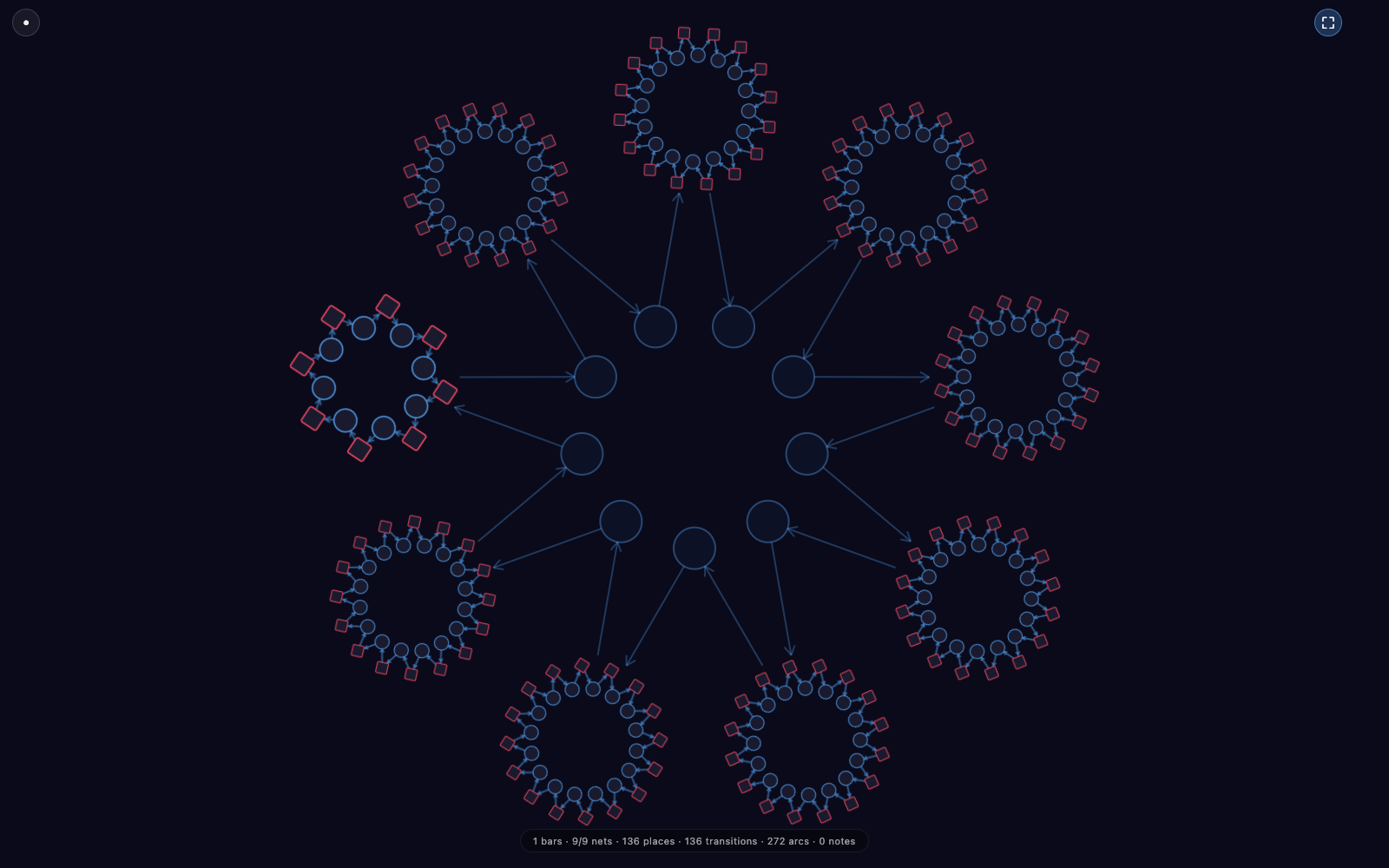
Press M (or hit the fullscreen button) and the whole app turns into a visualizer. Every unmuted track renders as its own live sub-Petri-net, arranged as a meta-Petri-net with connector place-circles and arrows between panels. It reads the same audio pipeline as the mixer; the visuals are a read-only projection of what's already happening.
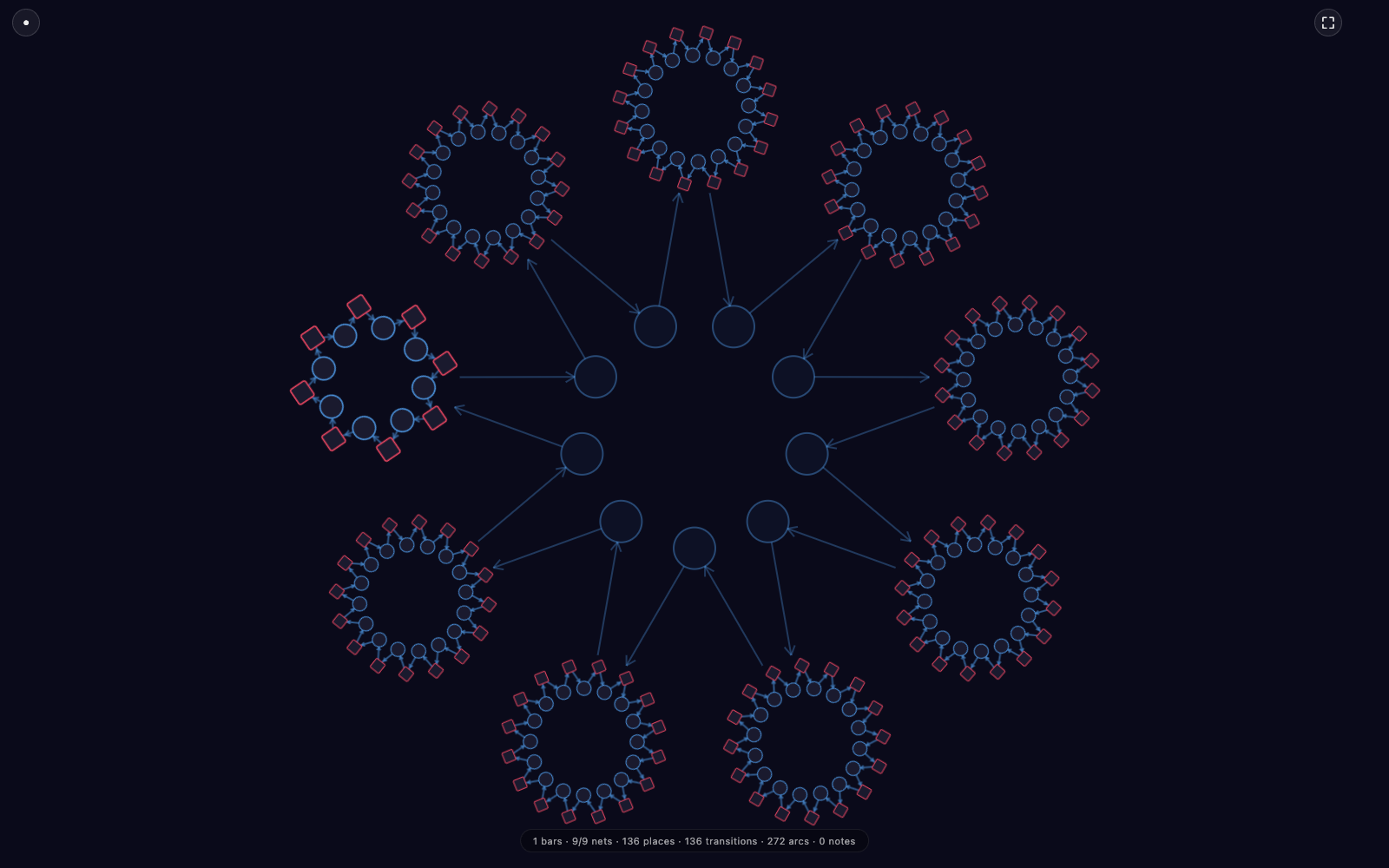
The default visualizer is Constellation: nine sub-nets arranged in a ring, each showing the active A/B/C variant for its slot, joined through central connector places. There's a row of stats at the bottom (9/9 nets · 136 places · 136 transitions · 272 arcs) so you can see the live shape of the running track.
Press ⇆ Expand and it switches to the full Mandala — the same nine slots, but now with every variant interleaved instead of just the active one. Same song, denser net.
Three other visualizers ride on the same overlay (Corona, Sonar, Petal), and four viz layers stack independently on top of any visualizer:
All four layers can run at once without rebuilding the DOM. It's the first time the Petri net isn't just a runtime artifact — it's the visual.
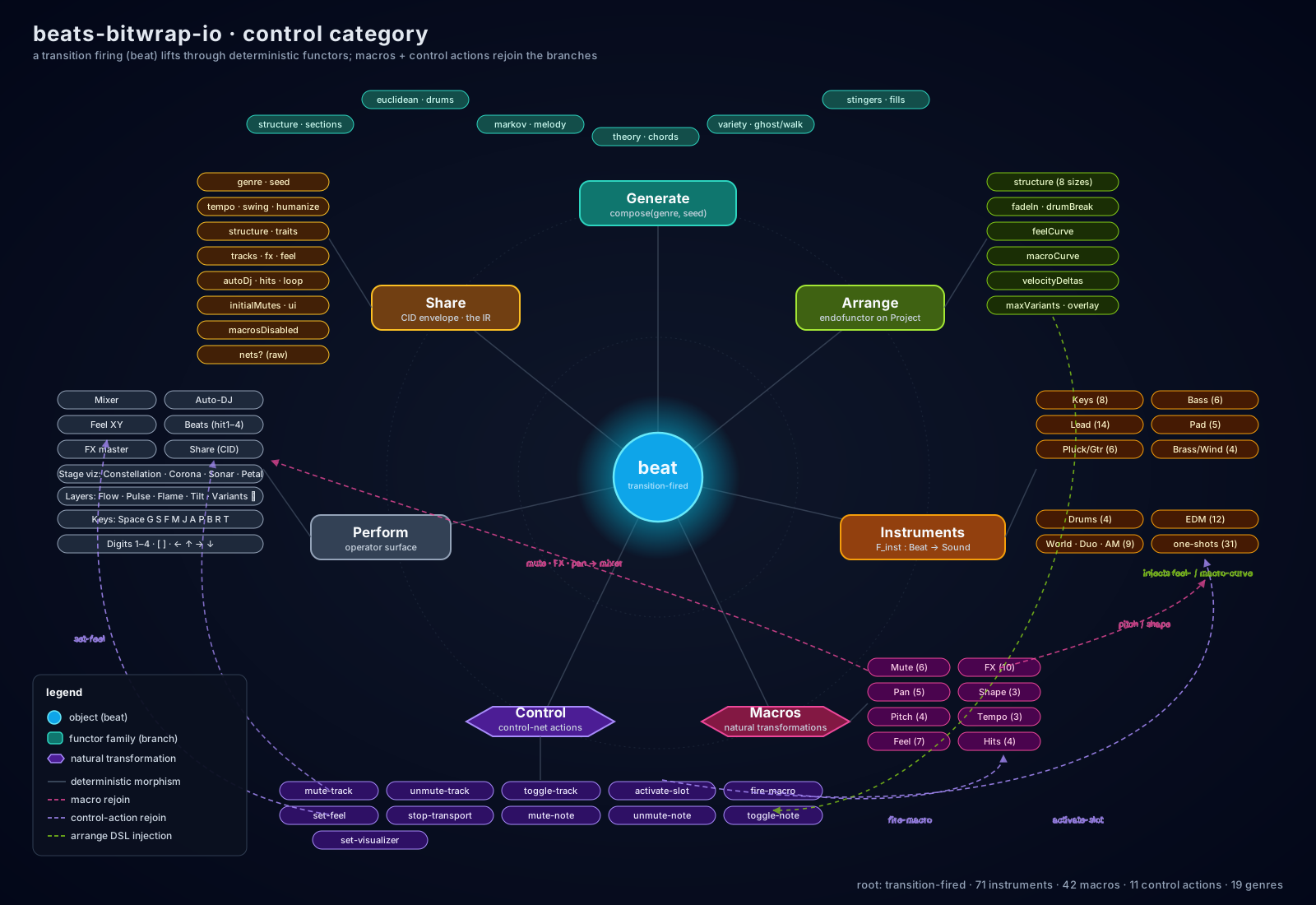
For the full architectural map of where Stage sits in the rest of the app, see the control-category diagram in the beats-bitwrap-io repo.
Tracks land in a /feed gallery — a wall of generated cards, one per share, each with its own colour and its own seed-derived ring topology. Tap + on a card to drop it into the queue; click playlist in the toolbar and a built-in player opens in the sidebar with Winamp-flavoured chrome — green LCD readout, beveled transport buttons, equalizer-style flame visualizer driven by an AnalyserNode on the live audio:
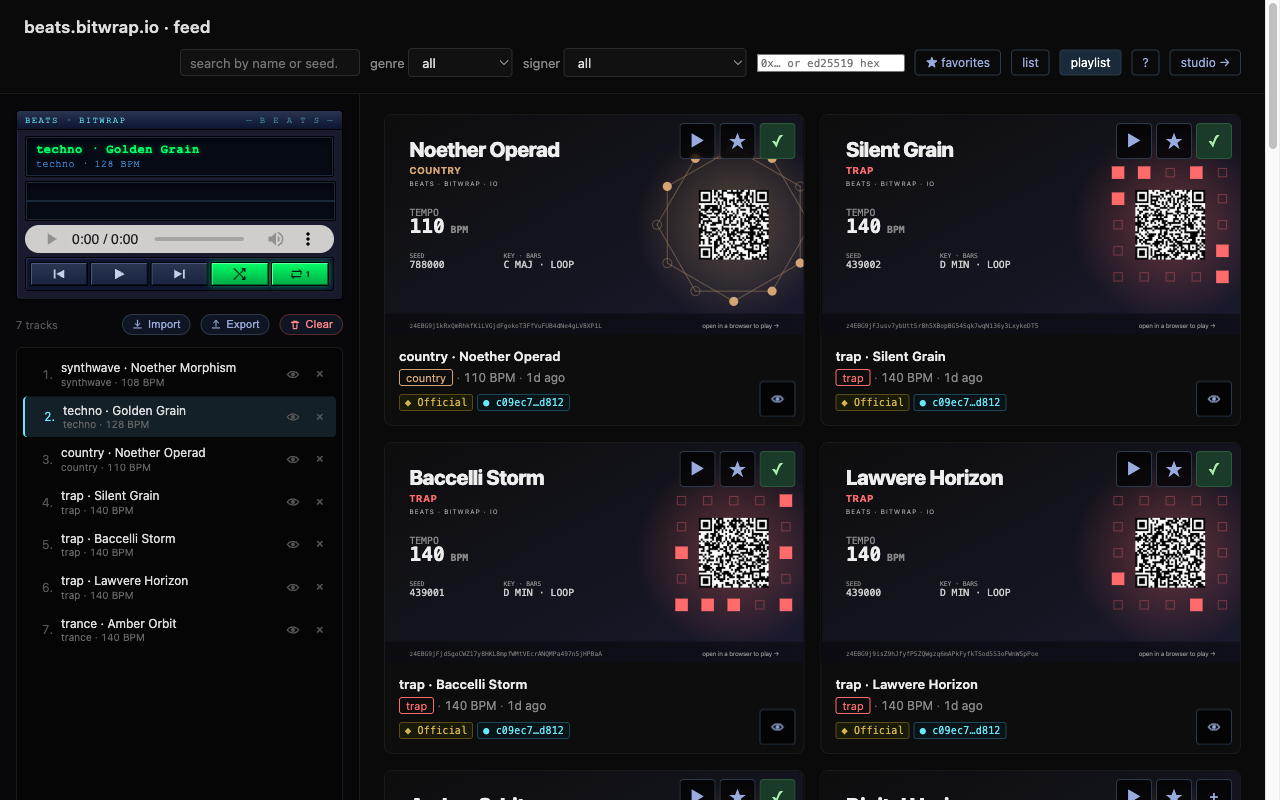
The player and the gallery share state — drop a card into the queue, hit play, scrub, shuffle, repeat — all the muscle memory you already have, none of the dependencies. It's a couple hundred lines of vanilla CSS and a single <audio> element wired to the same content-addressed .webm renders the share links resolve to.
A list view collapses the gallery into one row per track with sortable column headers (Title, Genre, BPM, Duration, Date, Signer) when you'd rather scan than browse:
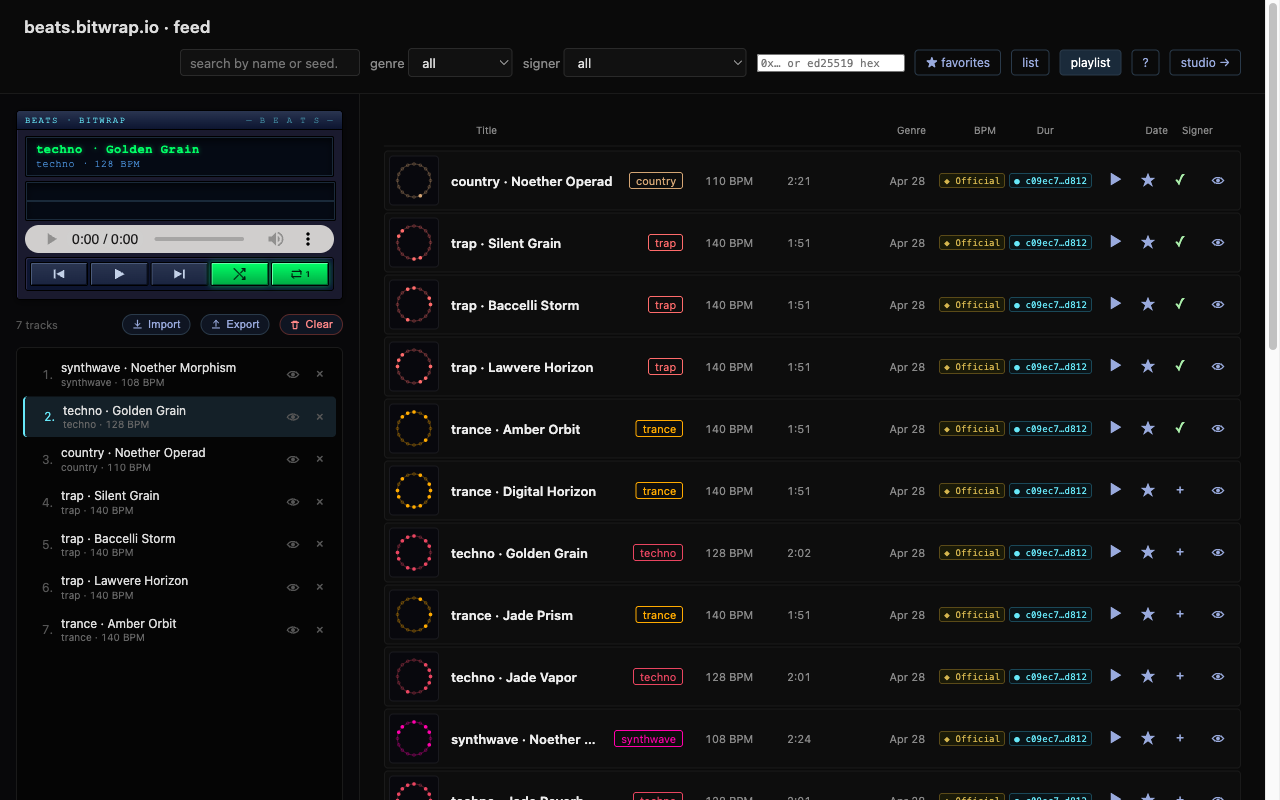
It works on phone and tablet too. Tap the floating mini-player and the playlist takes the full screen (fullscreen API where the browser allows it). On iPad with the sidebar open, list-view rows wrap onto two lines instead of squeezing the title into an ellipsis. Same /feed, same playlist state, same shareable links — just sized for whatever's in your hand.
Arm Auto-DJ (J) and the app becomes hands-free. Every N bars it picks a random macro from whatever pools you've enabled — Mute, FX, Pan, Shape, Pitch, Tempo, Beats, Transition — and fires it. The Stack-size selector lets it pick two or three at once instead of one.
For the moments you want to be the one calling the shot, Edit Stack turns macro tiles into a build surface: tap (or shift-click on desktop) to add a macro to the stack, then Fire Stack triggers all of them simultaneously. It's the same simultaneous-fire path Auto-DJ uses, but performer-driven — useful for a "drop everything muted, sweep the filter, anchor the tempo" combo on a beat you've been waiting for.
Regen mode goes one further: it generates a new track on a timer, with a one-bar-early pre-render and pre-warmed Tone.js synths, so the swap is a pointer flip instead of an audio-thread allocation. No clicks, no gaps.
Turn everything on, open Stage on a big screen, and it'll play itself for hours.
19 genre presets, deterministic generation, web-worker-driven timing, zero backend during playback. No account, no upload, no watermark.
We still haven't added a single piano roll.
Go make something at beats.bitwrap.io and share the link.